Everything You Need to Know About Backpack LCD Advertising Displays
Shenzhen TopAdkiosk Display Technology Co., Ltd.
Add.: 2F, Bldg 10, Changfeng Industrial Park, Dongkeng, Fenghuang, Guangming, Shenzhen, China 518132
Mobile/WHATSAPP: 86-138 25769658
Email: marketing@topadkiosk.com topadkiosk@gmail.com
Skype: pghenry1
Wechat: adkioskhenry
English Web.: http://www.topadkiosk.com/
https://www.topkioskdisplay.com/
http://www.ad-kiosk.com/
https://www.toplcddisplay.com/
http://www.multitouchdigitalsignage.com/
https://www.youtube.com/channel/UCYVYNJHxLVEcQD8fuUxXNTA/videos?view_as=subscriber
https://www.facebook.com/TOPADKIOSKSHENZHEN/?ref=bookmarks
A backpack lcd display lets you carry screens for ads anywhere. You use a backpack to show your message in busy places. In 2026, backpack displays help you reach more people. They also make marketing better for B2B and SaaS. CSA and CE certifications make sure it is safe. Customization lets you control what shows on your backpack. Real-time updates make your backpack a smart tool. You can use it for fast advertising.
Tip: Pick a backpack with strong certifications and easy customization for better results.
Key Takeaways
Backpack LCD displays help you show ads while moving. You can reach people in crowded places easily. - Pick backpacks with CSA or CE certifications for safety. These are good for use in public places. - You can change the display to match your brand. This helps more people see and remember your ads. - Real-time content management lets you update ads fast. This keeps your ads new and interesting. - Think about battery life and weight when you pick a backpack. This makes sure it is easy and comfortable to use at events.
What Is a Backpack LCD Display?
Definition and Core Features
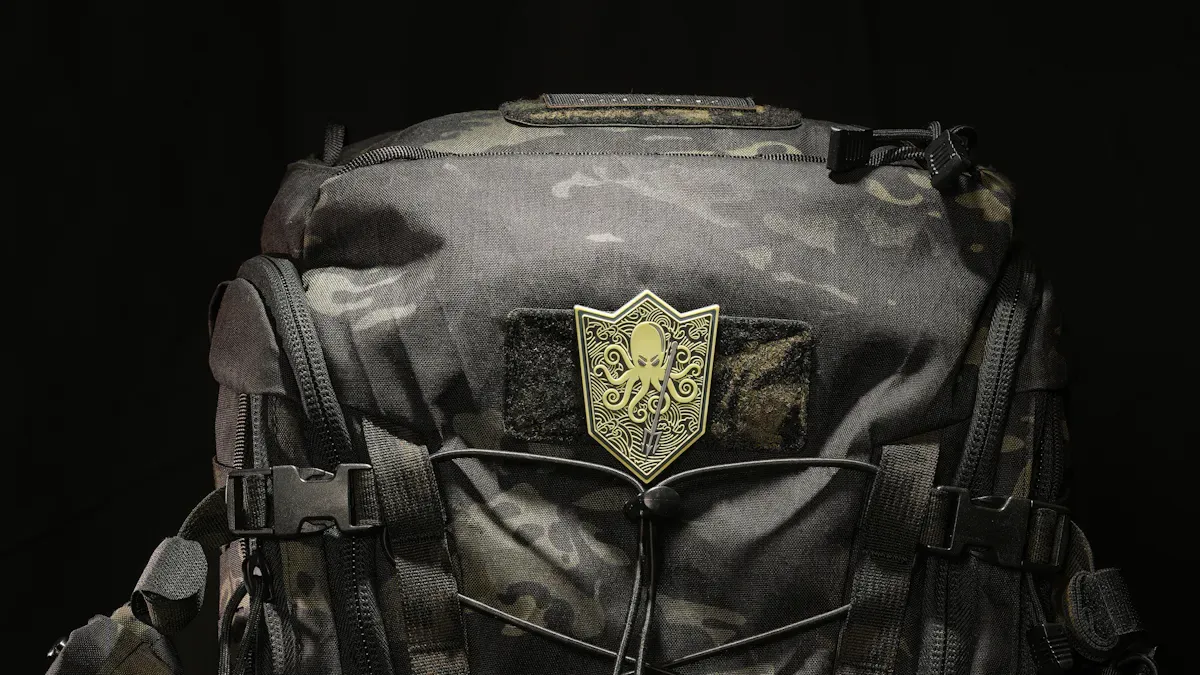
A backpack lcd display lets you show messages and pictures as you walk. You can use it to advertise in busy places like streets or events. The screen is on your back, so people behind you can see it. This makes your message easy for others to notice.
The backpack lcd display has a few main parts. The backpack is light and holds all the electronics. The display uses a 16x2 LCD screen. This screen shows two lines of text, each with sixteen letters. The system uses an I2C interface, which is simple to use. The display needs a 5V power supply, so it is safe and works well. You can change the contrast with a small knob on the backpack. Wires connect the power, ground, data, and clock.
Here is a table that lists the main parts and their details:
Component | Specification |
|---|---|
LCD Type | 16x2 LCD Screen (TZT 1602LCD green) |
Interface | I2C interface backpack for serial communication |
Power Supply | 5V |
Current Draw (Backlight On) | 25mA |
Current Draw (Backlight Off) | 2mA |
Character Matrix | 5x7 dot matrices for 2 lines of 16 characters |
Connection Wires | Vcc (5V), Gnd (ground), SDA (data), SCL (clock) |
I2C Address | Default: 0x27 (can be modified with solder bridges) |
Contrast Adjustment | Potentiometer on the display and I2C backpack |
You can use this display to share messages right away. You can change what it shows fast. This makes the backpack lcd display a great tool for advertising.
Certifications and Customization
You want your backpack lcd display to be safe and work well. Look for CSA and CE certifications. These show the backpack is safe in North America and Europe. You can trust it in public places.
Customization lets you make the backpack lcd display fit your brand. You can pick colors, logos, and the size of the screen. Many companies offer OEM and ODM support. This means you can ask for special features or designs. You can set up the display for your industry.
Here is a table that shows some ways to customize:
Customization Option | Description |
|---|---|
Tailored parameters | Fit the needs of any industry |
OEM/ODM support | Available for personalized manufacturing |
These options help you make your backpack lcd display special. This makes your ads stand out. You can reach people with the right message and look.
Note: Always check for certifications and ask about customization before you buy a backpack lcd display. This helps you get the best results for your ads.
How Backpack LCD Displays Work
Display Technology and Power
A backpack LCD display shows bright pictures and messages. You use it in busy places. The screen uses new technology to make ads easy to see. It is very bright, so people can see your message outside. The screen uses little power. This helps you carry the backpack longer without charging.
Feature | Details |
|---|---|
1000nits | |
Maximum power consumption | <30w |
Standby power consumption | <3w |
Battery capacity | 12800mAh working 4 hours |
The battery is strong and lasts a long time. You get 5–8 hours of use before charging. You can add more batteries if you need to use it longer. The screen works for up to 60,000 hours. You do not have to replace it often.
Feature | Details |
|---|---|
Battery Type | High-capacity lithium battery |
Battery Life | 5–8 hours of continuous use |
Extra Batteries | Available for extended campaigns |
Screen Lifespan | Up to 60,000 hours |
Tip: Charge your backpack before you use it. Bring extra batteries if you want to use it all day.
Android Functionality and CMS
You control the backpack LCD display with an Android system. This system makes it easy to manage ads. You can install apps and stream live content. You can also schedule playlists. The Android platform lets you add new features.
You can manage your backpack display from anywhere.
You update content from cloud platforms.
You install apps for marketing and stream live video.
You connect to Google Drive or Dropbox to manage campaigns.
The device starts with a custom launcher for media playback. You use a touchscreen to browse files, change volume, and switch screen direction.
The content management system (CMS) gives you more control. You update ads using Wi-Fi. The CMS supports USB, TF cards, and smartphone casting. You use cloud updates to change ads quickly.
Feature | Description |
|---|---|
Remote Content Management | Easily update ads remotely via Wi-Fi. |
Media Format Support | Supports USB, TF cards, smartphone casting, and advanced features. |
Cloud-Based Updates | Allows for updates via a cloud platform, enhancing flexibility. |
Note: The CMS lets you schedule ads, manage files, and update your display without touching the backpack.
Real-Time Content Management
Real-time content management makes your backpack LCD display more useful. The CMS lets you control the digital backpack billboard from far away. You schedule ads to match your marketing goals. Real-time updates help you show ads that fit the audience and place.
You control the backpack display from your phone or computer.
You schedule ads for different times and places.
You update content fast to match local events or weather.
You keep your digital screen advertising fresh and interesting.
The backpack LCD display changes how advertising works. You show moving videos and QR codes to get people’s attention. You reach people where they are and change your message quickly.
Alert: Real-time content management helps you respond to trends and what people want. You make your ads better with timely updates.
You use the backpack to walk through crowds and share your message. You depend on display technology, Android features, and real-time CMS to run good campaigns. You make your advertising flexible, mobile, and strong.
Backpack LED Screen vs. LCD Display
Technology Differences
You need to know the main differences between backpack LED screens and backpack LCD displays before you choose one for your advertising. Both types use advanced technology, but they work in different ways. The table below shows how they compare:
Feature | Backpack LED Screens | Backpack LCD Displays |
|---|---|---|
Mobility | Active, worn for dynamic advertising | Less mobile, usually static unless carried |
Visibility | High brightness for sunlight | Sharp, but lower brightness than LED |
Content Flexibility | Quick updates with Wi-Fi or USB, no technician needed | More effort to change content |
Battery Life | Up to 8 hours on a single charge | Often shorter, may need external power |
Cost | Affordable, under $400 | More expensive, can exceed $5,000 |
Interactivity | Engages with motion and brightness | Less interactive, relies on static display |
During a test, you can switch from a daytime ad to a nighttime promo without touching the hardware. You just connect your phone to the device’s hotspot, drag and drop your video file, and hit play.
Brightness and Outdoor Use
You want your backpack to stand out in any environment. Brightness matters most when you use your display outdoors. LED screens shine brighter than LCD displays. This makes them better for outdoor marketing.
LED screens reach up to 3,900 nits, so people see your message even in sunlight.
LCD displays reach up to 2,000 nits, which may not be enough for outdoor use.
Display Type | Brightness (Nits) |
|---|---|
LED | Up to 3,900 |
LCD | Up to 2,000 |
The motion of walking with a bright backpack screen grabs attention. People stop, take pictures, or ask questions. You get more engagement with your advertising.
Choosing the Right Option
You should think about your goals before you pick a backpack display. Here are some tips to help you decide:
If you want to update your content often, choose a backpack LED screen. You can change ads quickly and show new video clips.
If you need high brightness for outdoor events, LED works best.
If you want a display for indoor use or static messages, an LCD display may fit your needs.
If you want to save money, LED screens cost less than LCD displays.
If you want to engage people with motion and light, pick a backpack LED screen.
Tip: Choose a backpack that matches your marketing style and the places you plan to use it. Think about battery life, cost, and how often you want to change your content.
Advertising Advantages of Backpack Displays
Mobility and Impact
You can take your backpack anywhere people are. This helps you do outdoor marketing easily. You reach people in busy places like streets or parks. You do not have to wait for them to find you. You bring your message right to them.
You stand in busy spots so more people see you.
You walk through crowds, so your display is seen from all sides.
You make your ads more exciting than regular signs.
You become a moving sign. People look at you. They remember what you show. This helps more people remember your brand and want to learn more.
Brand Recall and Targeting
You want people to remember your brand name. A backpack display helps with this. When you walk with a bright screen, you get noticed. People see your ad many times. Seeing it again and again helps them remember it later.
You can pick where and when to use your backpack. For example, you can go to tech events for SaaS ads. You can visit shopping areas for retail ads. You show your ad to the right people at the best time. This makes your ads work better.
Interactive and Dynamic Content
You can put videos, pictures, and QR codes on your backpack. These things make your ads more fun. People can scan a code or watch a video. This keeps them interested in your ad.
Technologies that make ads look real help people feel closer to products. This lets them learn about products in new ways. It helps people feel more connected and want to buy.
You can change your ad fast for different events or weather. You keep your ads new and interesting. This makes your outdoor ads work even better.
Choosing a Backpack LCD Display
Size, Weight, and Battery
You should check the backpack’s size before your campaign. Bigger displays get more attention. But they can feel heavy after a while. Pick a backpack that fits your body well. It should let you move without trouble. Weight is important if you want to walk a lot. You do not want to get tired quickly. Battery life matters too. You need a battery that lasts your whole event. Many backpacks have strong batteries for hours of use. If you use videos or bright outdoor ads, you might need extra batteries.
Tip: Try the backpack for comfort and battery life before your first ad event.
Software and Content Management
You use software to control what shows on the display. Good software lets you change your ads fast. You can schedule ads and upload new videos. You can manage playlists easily. Some backpacks let you update content from your phone or computer. This helps you react to customers and change your marketing plan. Look for a system with remote updates and simple file management. If you want more engagement, pick a backpack that shows interactive content.
Feature | Benefit |
|---|---|
Remote updates | Change ads quickly |
Playlist control | Schedule content easily |
App integration | Add new features for marketing |
Durability and Weather Resistance
You need a tough backpack for outdoor campaigns. The backpack should protect the display from rain and dust. It should also handle bumps. Strong materials keep the electronics safe. This makes your advertising tool last longer. Weather resistance lets you use the backpack in many places. Check for waterproof zippers and strong seams. Durability means the backpack can handle daily use and travel. If you want flexibility, choose a backpack with parts you can change or fix easily.
Note: Custom branding lets you match the backpack to your project. Ask about logo spots and color choices.
Real-World Applications
B2B and SaaS Campaigns
A backpack LCD display helps your B2B and SaaS campaigns. Many companies use it for product launches and software demos. You walk around tech expos or business meetings with your backpack. The screen shows your brand logo and main features. You reach important people right away. You can focus on the right group of people. You change your content fast to match the event. You play a video that tells about your service. You answer questions as they come up. This way, your brand gets noticed and stands out from others.
Event and Retail Advertising
You make ads more exciting at events and in stores. You walk through crowds and get people to look at you. The HD display and speakers show off highlights and sponsors. You talk to people as you move. You use your backpack at tournaments, community events, or store openings. You switch your ads to fit the crowd. You show a video about a new product. You put up QR codes for quick deals. Your backpack is a smart and cheap way to advertise. You help brands get noticed in busy places.
You walk in busy spots with your backpack.
You play videos and music to get attention.
You change your ads for each event or store.
You use your backpack to thank sponsors.
City Placement and User Experiences
You use your backpack LCD display in big cities for more impact. You walk in outdoor places like plazas, shopping streets, or train stations. You reach people where they hang out. You share local deals or event news with your backpack. You ask people for feedback when they see your display. You learn what works best for your ads. You test different ads in each city to improve your targeting. You make cool experiences for people who see your backpack. You help your brand become part of city life.
City | Common Use Case | User Experience |
|---|---|---|
New York | Tech expos, retail demos | High engagement, fast updates |
Los Angeles | Outdoor festivals | Interactive content, sponsor highlights |
Chicago | Community events | Real-time feedback, QR code scans |
Tip: Try new places and ads to see what works best. You can change your backpack plan for each city.
Cost and ROI
Upfront and Ongoing Costs
You need to know the costs before you start using a backpack for digital screen advertising. The first cost is the price of the backpack itself. You pay for the display, battery, and any special features. Some backpacks cost more if you want a bigger screen or longer battery life. You may also pay extra for weatherproofing if you plan to use it for outdoor marketing.
Ongoing costs are lower than with old signs. You do not need to print new posters each time you change your message. You update your content with a USB drive. This saves money if you change ads often. You should plan for small costs like cleaning, repairs, and battery replacement. These costs help keep your backpack working well.
Tip: Choose a backpack with easy content updates to save money over time.
Calculating ROI
You want to know if your backpack brings good value. ROI means "return on investment." You measure how much you earn compared to what you spend. Start by adding up all your costs. This includes the price of the backpack, batteries, and any repairs. Next, track how many people see your display. Count how many scan your QR code or watch your video. If more people visit your website or store, your ROI goes up.
You can use a simple formula:
ROI = (Profit from backpack ads – Total costs) ÷ Total costs × 100%
A high ROI means your backpack works well for your advertising.
Maximizing Profit with Backpack Advertising
You can make extra money with your backpack. Offer space on your display to other brands. Show their ads when you walk in busy places. You can charge more if you use your backpack at big events or in crowded outdoor spots. Show video ads for local shops or sponsors. Change the content often to keep it fresh and interesting.
Share your backpack with partners for joint campaigns.
Rotate ads to reach different groups.
Use bright displays to attract more attention.
Note: A backpack with a strong display and easy updates helps you earn more from every campaign.
Best Practices for Digital Screen Advertising
Targeting and Creative Content
You want your backpack to reach the right people. Start by choosing busy places where your audience gathers. Walk through events, shopping areas, or city streets. Show your message when people pay the most attention. Use bright colors and bold text to improve visibility. Add a video to make your display more exciting. Change your content often to keep it fresh. Try different messages to see what works best. When you use creative ideas, you stand out from other brands. People remember your backpack and talk about it with friends. This helps your digital screen advertising work better.
Conversion Rate Optimization
You can boost your results by making small changes. Many people trust what others say more than paid ads. When you use your backpack for organic promotion, you get higher conversion rates. Quick replies to questions help you connect with your audience. Make your main call-to-action button stand out with a bright color. This makes it easy for people to engage. The market has many similar products, so you need new ideas to get noticed. Try different promotions and offers. Track how many people scan your QR code or visit your website. This helps you see what works and improve your next campaign.
Maintenance and Troubleshooting
Keep your backpack in good shape for every campaign. Clean the display after each use to remove dust and fingerprints. Check the battery before you go out. If you see random characters or faded text, you can fix it with simple steps. Use the table below for quick solutions:
Issue | Solution |
|---|---|
Random Characters | Make sure the RX line connects to a true TX port. |
Faded Characters on Display | Adjust the contrast trimpot (VR1) on the back of the display. |
Bricked LCD | Use a software-defined serial pin to avoid startup conflicts. |
Recovering from Unknown State | Write 0x12 in the loop to reset the unit to 9600 baud. |
Tip: Always test your backpack before each event. Quick checks help you avoid problems and keep your display working well.
Backpack LCD displays give you a smart way to reach your audience in 2026. You get mobility, real-time updates, and strong brand impact.
Check for CSA or CE certifications for safety.
Choose custom features that match your brand.
Follow best practices for setup and content.
Tip: Start with a small campaign. Test your results. Grow your strategy as you learn what works.
🚀 Getting Started: The I2C Backpack Advantage
The core of your setup is the I2C (Inter-Integrated Circuit) backpack. It greatly simplifies the wiring, reducing 16 pins down to just 4 wires and freeing up your controller for other components like sensors .
🧱 Hardware Assembly
For your project, you'll need:
Microcontroller: An Arduino Uno, Nano, or an ESP32 (for Wi-Fi features) .
Display: A 16x2 LCD is a great starting point, but a 20x4 offers twice as many characters and is better for displaying more information at a glance .
I2C Backpack: Typically a small board with a PCF8574 chip.
Connection Wires: 4 female-to-female jumper wires.
To connect them, follow this simple and consistent wiring:
I2C LCD Backpack Pin | Arduino Uno/Nano Pin | Arduino Mega 2560 Pin |
|---|---|---|
VCC | 5V | 5V |
GND | GND | GND |
SDA | A4 | 20 |
SCL | A5 | 21 |
💻 Software Setup
Before you can display anything, you'll need to configure the software:
Install the LiquidCrystal_I2C Library: In the Arduino IDE, go to Sketch -> Include Library -> Manage Libraries. Then, search for
LiquidCrystal I2Cand install the library byFrank de Brabander(or similar).Find Your LCD's I2C Address: I2C devices have unique addresses. Load and run the "I2C Scanner" sketch (available online). Note the address printed in the Serial Monitor (it's often
0x27or0x3F). Use this in theLiquidCrystal_I2C lcd(0x27, 16, 2);line of your code.Run Your First "Hello World" Sketch: You can use the code examples below or the ones included in the library.
✨ Content Strategy: Crafting the Message
Once your hardware is working, the key is to create content that aligns with your goals. The version of lcd.print() you use depends on the message:
Static (
lcd.print("Message")): Ideal for short, clear messages directly displayed on the screen.Scrolling (
lcd.scrollDisplayLeft()): Perfect for longer messages that exceed the 16- or 20-character limit .
Simple 16x2 displays are very effective. The best approach is to keep text short and use attention-grabbing techniques like scrolling for longer messages .
🧑💻 Project 1: The Dynamic Storefront Sign
Imagine your store window display cycles through different promos based on the time of day. This code sets up a simple schedule. You can enhance it by adding a Real-Time Clock (RTC) module for accurate scheduling or integrating a motion sensor to display a welcome message when someone approaches. The idea is to turn a static sign into a dynamic call to action that changes throughout the day.
cpp
#include <Wire.h>
#include <LiquidCrystal_I2C.h>

LiquidCrystal_I2C lcd(0x27, 16, 2); // Use your I2C address

void setup() {
  lcd.init();
  lcd.backlight();
}

void loop() {
  // Morning Offer
  lcd.setCursor(0, 0);
  lcd.print("Morning Special! ");
  lcd.setCursor(0, 1);
  lcd.print("Coffee & Croissant");
  delay(5000);
  lcd.clear();

  // Afternoon Offer
  lcd.setCursor(0, 0);
  lcd.print("Lunch Deal: 20%");
  lcd.setCursor(0, 1);
  lcd.print("Off Sandwiches! ");
  delay(5000);
  lcd.clear();

  // Evening Offer
  lcd.setCursor(0, 0);
  lcd.print("Happy Hour 5-7PM");
  lcd.setCursor(0, 1);
  lcd.print("2-for-1 Drinks  ");
  delay(5000);
  lcd.clear();
}🧑💻 Project 2: The Interactive Countertop Display
This second project transforms a display into a customer-facing information point for a restaurant table or retail shelf . A common application is a digital menu or product guide. This code shows how to use simple buttons to let customers browse information. It includes an airport_code variable that could be replaced with data from a sensor or a remote source . This turns a static display into a conversation starter and adds a 'wow' factor that builds loyalty .
cpp
#include <Wire.h>
#include <LiquidCrystal_I2C.h>

LiquidCrystal_I2C lcd(0x27, 20, 4); // 20x4 LCD

// Menu structure (for 20x4 display)
String mainMenu[3] = {"1. Our Story", "2. Product Specs", "3. Get a Quote"};
String subMenu1[2] = {"Est. 2020", "We ♥ our customers"};
String subMenu2[3] = {"1000 nits", "IP65 Rated", "5 Year Warranty"};

int currentMenuLevel = 0; // 0=Main, 1=Sub1, 2=Sub2
int menuPosition = 0;

void setup() {
  lcd.init();
  lcd.backlight();
  showMainMenu();
}

void loop() {
  // In a real setup, you'd read button presses here to change menuPosition and currentMenuLevel.
  // For the sake of this example we simulate a delay.
  delay(5000);
}

void showMainMenu() {
  lcd.clear();
  lcd.setCursor(0, 0);
  lcd.print("=== Main Menu ===");
  for (int i = 0; i < 3; i++) {
    lcd.setCursor(0, i+1);
    lcd.print(mainMenu[i]);
  }
}
Beyond these examples, think about using sensors to trigger content. For example, Lift & Learn: When a product is lifted from the shelf, an RFID sensor tells the Arduino to display its detailed specs and price . This creates a highly engaging "wow factor" experience for customers.
📈 Deployment: Where to Place Your Displays
Making the content is one thing; putting it where it can be seen is another. Here are a few effective physical applications:
The Branded Backpack: A wearable display is perfect for generating brand awareness at a trade show or promotional event.
The Countertop Kiosk: Placing a display at the point of sale is one of the most effective ways to influence a purchase decision at the final moment.
The Digital Shelf Talker: An extremely effective tool in a retail aisle, where a mini screen can explain product features, show video reviews and live social media feeds, or even assist with cross-selling and upselling .
The Interactive Table Tent: Upgrade a traditional paper menu, placing an interactive display at the table to allow for ordering, playing games, or providing feedback .
🧙♂️ Advanced Marketing Automation
For a truly modern and efficient installation, you can connect your Arduino to a professional digital signage platform like OptiSigns. By using a platform that offers an API, your LCD can become part of a fully integrated marketing system.
For instance, your Arduino can be programmed to send HTTP requests to the platform, telling it to change a playlist, play a specific video, or fetch a new promotion when a certain event occurs (like a button press). This centralizes your content management, allowing you to update countless displays from a single dashboard and connect them to your website, e-commerce, and social media feeds without needing to manually update each device.
🧐 Troubleshooting Common Setup Issues
The screen is on but shows a row of black rectangles: This usually means the contrast is too high. Locate the small blue potentiometer on the I2C backpack and adjust it with a small screwdriver until the text is clear.
The screen shows nothing or has garbled text: This is likely related to the I2C communication. First, double-check your wiring for any loose connections. Next, re-run the I2C scanner sketch to confirm the address, as a
0x27vs0x3Fmix-up is a common error. Finally, make sure you've calledlcd.init()in yoursetup()function.The text appears, but remains static: Along with verifying the address and wiring, check that your code is calling the correct
printfunctions and that any delays in yourloop()aren't too long.
This guide should give you a solid foundation. If you run into a specific issue, let me know—I'm here to help.
FAQ
How do you update content on a backpack LCD display?
You use Wi-Fi or USB to upload new ads. The CMS lets you schedule and change content quickly. You can manage updates from your phone or computer.
Can you use backpack LCD displays outdoors?
Yes, you can use them outside. Choose a model with high brightness and weather resistance. Waterproof zippers and strong seams protect the display.
What battery life can you expect?
Most backpack LCD displays last 5–8 hours on one charge. You can add extra batteries for longer campaigns. Always check battery status before events.
Are backpack LCD displays safe for public use?
You should look for CSA or CE certifications. These show the display meets safety standards. Certified backpacks work safely in public spaces.
How do you clean and maintain your backpack LCD display?
Wipe the screen with a soft cloth after each use. Check wires and battery connections. Adjust the contrast if text looks faded. Test the display before every campaign.
See Also
Explore Stunning High-Resolution LCD Kiosks For Exhibitions
Leading Providers of Outdoor LCD Display Kiosks
Selecting The Perfect LCD Digital Signage For 2026
