Arcade game LCD monitor or CRT for the best play
Add.: 2F, Bldg 10, Changfeng Industrial Park, Dongkeng, Fenghuang, Guangming, Shenzhen, China 518132
Mobile/WHATSAPP: 86-138 25769658
Email: marketing@topadkiosk.com topadkiosk@gmail.com
Skype: pghenry1
Wechat: adkioskhenry
English Web.: https://www.topkioskdisplay.com/
http://www.ad-kiosk.com/
https://www.toplcddisplay.com/
http://www.multitouchdigitalsignage.com/
https://www.youtube.com/channel/UCYVYNJHxLVEcQD8fuUxXNTA/videos?view_as=subscriber
https://www.facebook.com/TOPADKIOSKSHENZHEN/?ref=bookmarks
As long as we have the blueprints, Shenzhen TopAdkiosk Display Technology Co., Ltd no worse than anyone else.
please contact Shenzhen TopAdkiosk Display Technology Co.
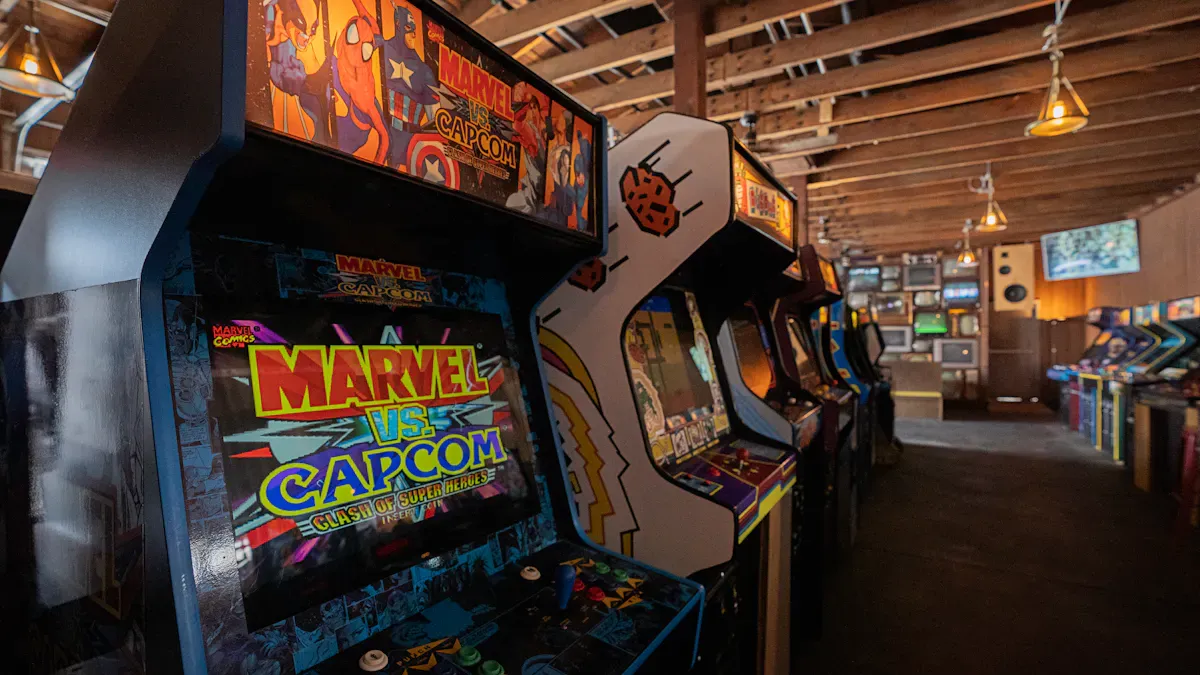
If you want the most authentic arcade experience, you should go with a CRT. CRTs show games just like you remember them from the arcade, with smooth motion and no input lag. If you care more about easy setup and bright, sharp images, an arcade game lcd monitor makes things simple and modern. Your choice depends on what matters most to you—old-school feel or convenience.
Key Takeaways
Pick a CRT if you want the real arcade feel. CRTs have bright colors and no delay when you play. - Pick an LCD monitor if you want something easy to set up. LCDs show bright pictures and have new things like HDMI ports. - Think about how you play games. CRTs are best for fast games. LCDs can have a little delay. - Think about how much space you have and how much power you use. LCDs are lighter, smaller, and use less electricity. - If you like old-school games, CRTs feel classic. LCDs are easier to use and get.
Display Quality
Color and Brightness
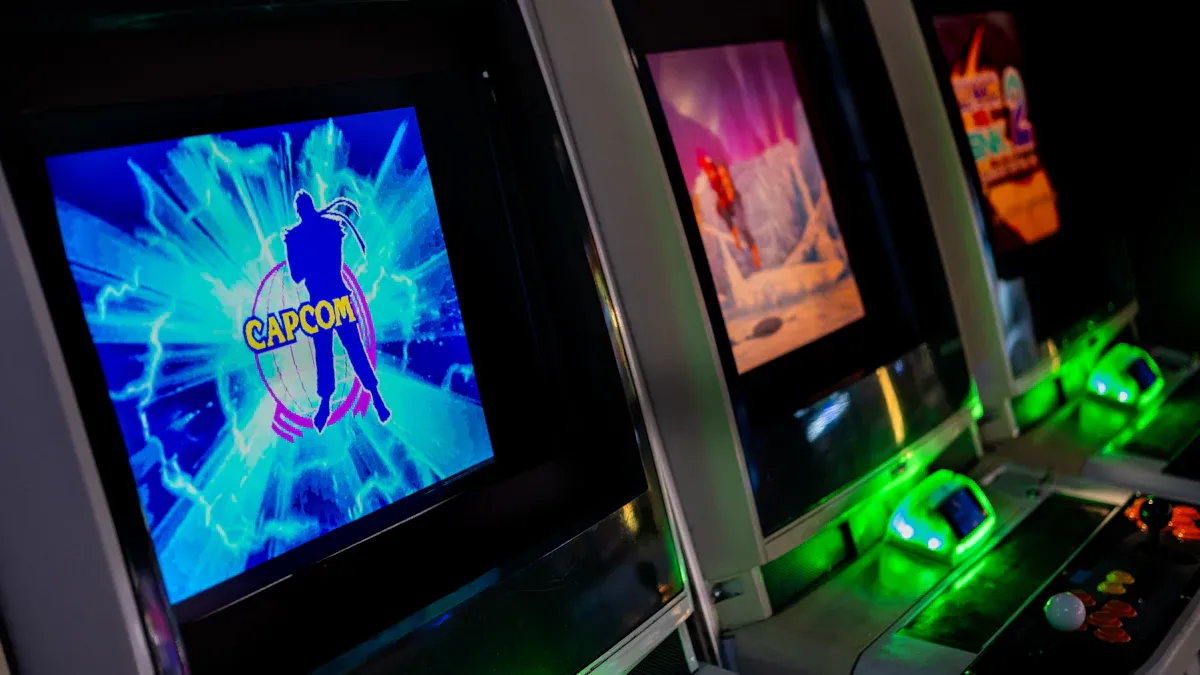
When you look at an arcade screen, color and brightness really stand out. CRT monitors often show colors that look deep and rich. You might notice that the reds, blues, and greens pop more on a CRT. These monitors also have an infinite contrast ratio, which means black looks truly black, not gray. LCD monitors, including any arcade game lcd monitor, use a backlight. This makes them much brighter, especially in a well-lit room. You will see sharp images and bright whites, but sometimes the colors do not blend as smoothly as on a CRT.
Here’s a quick comparison:
Feature | CRT Monitors | LCD Monitors |
|---|---|---|
Contrast Ratio | Infinite | 1000:1 (IPS), 2500:1 (VA) |
Color Reproduction | Generally superior to high-end LCD | Varies by type and brand |
Motion Clarity | Excellent | Inferior to CRT |
Static Image Clarity | Good | Excellent |
Tip: If you play in a bright room, an arcade game lcd monitor will help you see the action better. If you want colors that look just like the old days, a CRT might make you happier.
Input Lag and Response
Input lag is the time between pressing a button and seeing the action on screen. CRT monitors have almost no input lag. You press a button, and the game reacts right away. This makes a big difference in fast-paced games where every millisecond counts. LCD monitors have improved a lot, but they still have a bit more lag, especially if you use a cheaper model.
Display Type | Input Lag |
|---|---|
CRT | Typically <1ms |
LCD (TN Panel) | 1-5ms |
LCD (IPS Panel) | 5-15ms |
You might not notice a few milliseconds, but if you play classic fighting or shooting games, you could feel the difference. CRTs also handle motion better, so fast-moving objects stay clear. LCDs can blur during quick action, but the best arcade game lcd monitor models reduce this problem with faster panels.
Visual Authenticity
If you want your games to look and feel like the original arcade, CRTs win here. They create soft scanlines and a gentle glow that make old games look just right. These scanlines blend colors and add depth, making the graphics feel alive. LCD monitors show every pixel sharply, which can make retro games look blocky or too clean.
CRT scanlines add a natural softness and color blending.
The glow from a CRT gives games a warm, classic look.
LCDs show crisp, clear images but can lose that old-school vibe.
You can find LCD monitors with special settings or filters to mimic scanlines, but it’s not quite the same. If you want the most authentic experience, a CRT gives you the look and feel of a real arcade.
Retro Authenticity
Classic Arcade Look
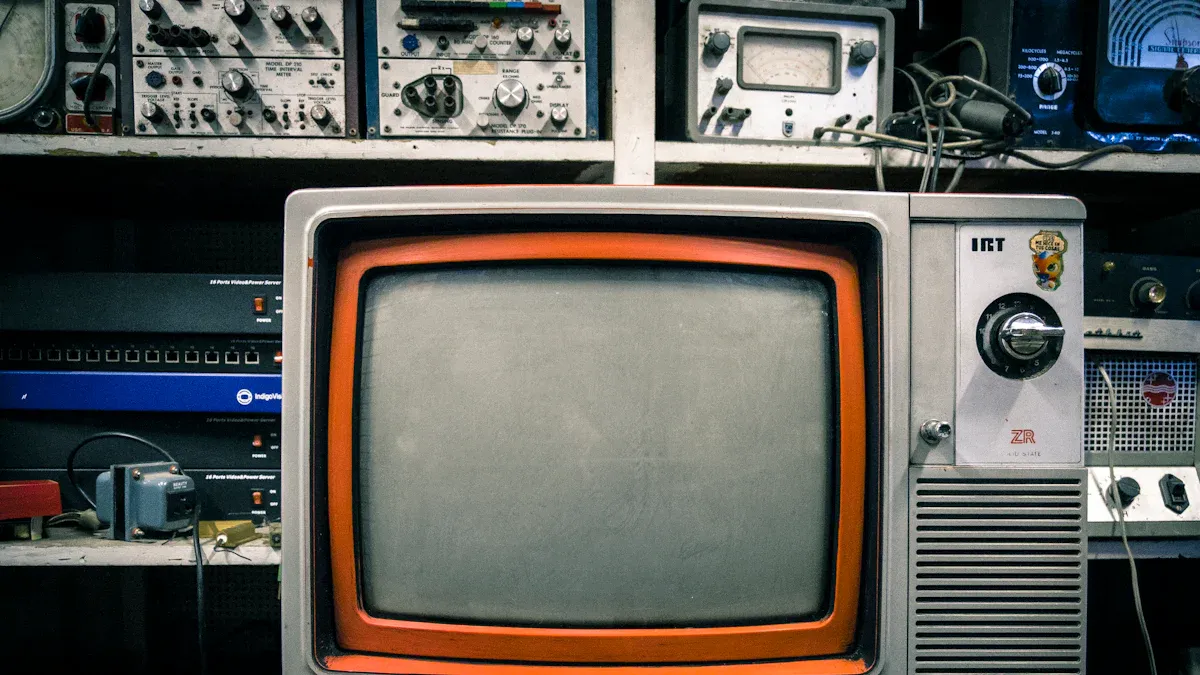
You want your arcade setup to look and feel just like the classics. CRT monitors make this possible. They give you the same visuals that game designers intended. Games like Street Fighter 2 pop on a CRT. The colors blend together, and the action feels smooth. You get the same glow and scanlines you remember from the arcade.
CRT monitors respond instantly, so your moves show up right away.
Arcade games were made for CRTs, so you see the graphics as they were meant to be.
A well-tuned CRT brings back the look that developers wanted you to see.
When you use an arcade game lcd monitor, you get sharp images and bright colors. But the look feels different. The pixels are clear, but you might miss the soft edges and warm glow of a CRT. Some people try to add filters to mimic scanlines, but it is not quite the same.
Nostalgia Factor
Nostalgia plays a big role in your choice. If you grew up with arcades, you remember the buzz of the CRT screen and the way games looked. Dr. David Long from the Rochester Institute of Technology says CRTs were the standard for years. Their unique look brings back memories for many players.
Greer, a pixel artist, loves the little flaws in CRT displays. These imperfections add charm and make the experience feel special. When you play on a CRT, you get more than just a game—you get a trip back in time.
If you want a modern setup, an arcade game lcd monitor works well and is easy to find. But if you want to relive the golden age of arcades, a CRT gives you that true retro feeling.
Compatibility
Game Support
When you set up your arcade cabinet, you want every game to work smoothly. CRT monitors handle classic arcade games with no trouble. These games were made for CRTs, so you get the right colors, shapes, and timing. You just plug in the monitor, and you’re ready to play.
LCD monitors can support most arcade games, but you might run into a few hiccups. Some older games use special video signals that LCDs do not always recognize. You may need extra adapters or converters to get the picture to show up right. Sometimes, the image looks stretched or squished because the game was made for a different screen shape. If you use emulators, you can usually adjust the settings to help games look better on an LCD.
Tip: If you want to play a wide mix of old and new games, check if your LCD monitor supports different video inputs. This can save you a lot of trouble later.
Technical Limitations
LCD monitors bring some technical challenges when you use them in older arcade cabinets. Here’s a quick look at the main issues:
Limitation Type | Description |
|---|---|
Aspect Ratio | Most LCDs above 19" use a 16:9 widescreen shape. Classic arcade games use 4:3, so the image may not fill the screen correctly. |
Authentic Appearance | LCDs look very sharp and clean. This can make old games lose their classic feel. Some emulators add filters to help, but it’s not perfect. |
Viewing Angle Issues | Some LCDs look strange if you view them from the side. The picture can fade or change color, depending on the model. |
You might notice that a CRT always shows the game the way it was meant to look. LCDs can look too modern or “digital.” If you care about the original look, this matters a lot. Some of the best arcade game LCD monitors in 2026 offer better viewing angles and more settings, but you still need to check if they fit your cabinet and your favorite games.
Note: Always check the specs before you buy a new monitor for your arcade. Not every LCD will work with every game or cabinet.
Cost and Maintenance
Price Comparison
When you look at monitors for your arcade setup, price matters. CRT monitors usually cost less if you find them used. You might pay $50 to $200 for a working CRT. New CRTs are almost impossible to find, so you need to hunt for old ones. An arcade game lcd monitor costs more up front. Prices range from $150 to $400, depending on the size and features. If you want the best arcade game LCD monitors in 2026, expect to pay at the higher end.
Monitor Type | Typical Price Range |
|---|---|
CRT | $50 - $200 |
LCD | $150 - $400 |
Tip: Check local classifieds or online auctions for CRT deals. For LCDs, shop around for sales or bundle offers.
Durability
You want your monitor to last. CRT monitors can run for years, but they break down over time. Parts like capacitors and tubes wear out. Repairs can get tricky and expensive. LCD monitors last longer and need less maintenance. They use less power and don’t have fragile parts inside. If you plan to use your arcade often, LCDs give you peace of mind.
CRTs: Heavy, fragile, and need careful handling.
LCDs: Light, sturdy, and easy to move.
Note: LCD monitors handle bumps and moves better than CRTs. You won’t worry as much about breaking them.
Installation
Setting up your monitor should be easy. CRT monitors weigh a lot. You need help to lift and fit them into your cabinet. Sometimes, you need special brackets or tools. An arcade game lcd monitor is much lighter. You can install it by yourself. Most LCDs fit into modern cabinets without trouble. You just plug them in and start playing.
CRT: Heavy, needs two people, tricky fit.
LCD: Light, simple install, fits most cabinets.
Callout: If you want a quick setup, LCD monitors save you time and effort.
Arcade Game LCD Monitor Advantages
Easy Installation
You will notice right away how much easier it is to install an arcade game lcd monitor compared to a CRT. LCD monitors feel light, so you can lift and move them without help. CRT monitors, especially those over 19 inches, can weigh between 30 and 60 pounds. This makes them hard to handle and almost impossible to move by yourself.
Here’s a quick look at the difference:
Monitor Type | Weight Range | Practicality for Relocation |
|---|---|---|
CRT | 30–60 lbs (19–21") | Impractical for relocation |
LCD | Lightweight | Easier to mount |
You can set up an LCD in your cabinet with just a few screws. You do not need special brackets or tools. If you ever want to move your arcade, you will find it much easier with an LCD inside.
Tip: If you plan to change your setup or move your cabinet, an LCD saves you time and effort.
Modern Features
An arcade game lcd monitor gives you more than just easy setup. You get a bright display that works well in any room, even with lots of sunlight. LCDs often come with extra features like HDMI ports, adjustable settings, and energy-saving modes. Some of the best models in 2026, like the PixelArcade Pro 20" and the GameView Ultra 19", offer wide viewing angles and built-in scanline filters. These features help your games look closer to the originals, even if the feel is not exactly the same as a CRT.
LCDs use less power, so your arcade runs cooler and costs less to operate.
You can adjust the picture settings to match your taste.
Many new LCDs support both classic and modern game systems.
However, you may notice some trade-offs. CRTs still win when it comes to deep blacks, instant response, and that classic arcade glow. Some players miss the rich colors and smooth motion of a CRT. LCDs can look a bit too sharp or bright, and dark scenes may lose detail.
Note: If you want a monitor that is easy to use, reliable, and packed with features, an LCD is a smart choice. For pure nostalgia, a CRT still has the edge.
Practical Considerations
Space and Fit
You probably want your arcade setup to fit in your room without taking up too much space. CRT monitors are bulky and heavy. They take up a lot of room inside your cabinet and make moving your arcade tough. LCD monitors are slim and light. You can lift them easily and fit them into smaller cabinets. If you live in an apartment or have limited space, LCDs make your life easier.
Here’s a quick comparison:
Feature | LCD Monitors | CRT Monitors |
|---|---|---|
Size | Bulky | |
Suitability | Ideal for limited space | Not suitable for limited space |
Tip: If you want to squeeze your arcade into a tight spot, LCD monitors are your best bet.
Power Use
You might not think about power use at first, but it matters. CRT monitors use a lot more electricity than LCDs. When you run your arcade for hours, the difference adds up. LCD monitors help you save money and keep your room cooler.
Check out the numbers:
Monitor Type | |
|---|---|
CRT | 80–150 |
LCD | 10–25 |
If you play often, you could spend $48–160 a year on electricity for a CRT. LCDs cost much less to run. The best arcade game LCD monitors in 2026 use even less power, so you can play longer without worrying about your bill.
Note: Lower power use means less heat and more comfort during long gaming sessions.
Availability
Finding a CRT monitor can feel like searching for treasure. Most stores don’t sell them anymore. You have to look online or check local ads. Sometimes, you find a good deal, but you might need to fix old parts. LCD monitors are everywhere. You can buy them new, pick the size you want, and get modern features.
CRTs are rare and often need repairs.
LCDs are easy to find and install.
If you want a quick setup, LCD monitors win. If you love the classic look and don’t mind the hunt, CRTs still have charm.
Callout: For most people, LCD monitors offer a practical solution. They fit better, use less power, and are easy to buy.
Which Monitor Fits Your Needs?
You should choose based on your space, power needs, and how easy you want your setup to be. LCD monitors work best in small rooms, save energy, and are simple to find. CRTs give you nostalgia but need more space and effort. If you want convenience, LCDs are the way to go.
You want the best arcade play, so think about what matters most to you. CRT monitors give you that classic look, low input lag, and real nostalgia. LCD monitors, like the best arcade game LCD monitors in 2026, are lighter, easy to set up, and use less power. Here’s a quick look:
Feature | CRT | LCD (2026) |
|---|---|---|
Nostalgia | ⭐⭐⭐⭐⭐ | ⭐⭐ |
Convenience | ⭐ | ⭐⭐⭐⭐⭐ |
Cost | ⭐⭐ | ⭐⭐⭐⭐ |
Tip: If you want retro vibes, go CRT. If you want easy setup and bright screens, pick LCD!
Best Arcade Game LCD Monitors in 2026
With the CRT era now firmly in the past, LCD monitors have become the standard for arcade cabinet restoration and DIY builds thanks to their light weight, availability, and modern features. In 2026, the consensus best choices come from specialised brands like Arcooda that offer purpose‑built 4:3 LCDs for arcade use.
💡 Key Buying Considerations for Arcade LCDs (2026)
Factor | Why It Matters |
|---|---|
Signal compatibility (15kHz – 31kHz) | Original arcade PCBs output CGA (15kHz), EGA (25kHz), and VGA (31kHz). Look for monitors that accept these raw RGB signals without needing an external scanline generator (SLG) or upscaler. |
Low input lag | Aim for <2ms to preserve responsive controls. High lag ruins the feel of fighting and shooting games. |
Panel technology | IPS panels deliver accurate colours and wide viewing angles – the community consensus pick. |
Resolution & aspect ratio | For classic 4:3 cabinets, native 4:3 resolutions (e.g., 1600×1200) are ideal. 16:9 widescreen monitors will typically display with black bars (pillarboxing) or stretched image – avoid if you want authentic proportions. |
VESA mounting | Essential for clean, secure installation inside an arcade cabinet. |
Commercial compliance | If the arcade is coin‑operated (commercial use), ensure the monitor meets local safety and electrical certifications. |
📺 Best Arcade LCD Monitors in 2026
The most recommended 2026 options come from Arcooda (and similar arcade‑specialist brands). These monitors are designed specifically for arcade applications: IPS panels, native 15kHz–31kHz support, ultra‑low input lag (~1.5–1.7ms), and a range of sizes and budgets.
Model | Size & Ratio | Resolution | Key Specs | Strengths & Ideal For | Est. Price (USD) |
|---|---|---|---|---|---|
Arcooda 21.3″ 4:3 LCD | 21.3″ (4:3) | 1600×1200 | 1.7ms lag, 500 nits, 1800:1 contrast | Closest size/feel to a 21″ CRT. Perfect for classic upright or table cabinets that need native 4:3. | ~$799 |
Arcooda 26″ 4:3 LCD (4K Edition) | 26″ (4:3) | 2880×2160 (4K) | <2ms lag, 1000:1 contrast | Ultra‑sharp 4K image – top tier for large custom cabinets. | ~$595 |
Arcooda 26″ 4:3 LCD (HD Edition) | 26″ (4:3) | 1440×1080 | 1.5ms lag, 1200:1 contrast | Better signal compatibility (some models support FreeSync / HDR). Great for pro restorations or commercial ops. | ~$495 |
Arcooda 32″ 16:9 LCD | 32″ (16:9) | 1920×1080 | 1.3ms lag, includes dedicated metal mounting frame | Designed as a drop‑in upgrade for modern Japanese cabinets like Vewlix or Chewlix. | Custom (contact vendor) |
Arcooda 35″ 4:3 LCD (4K Edition) | 35″ (4:3) | 2880×2160 (4K) | ~1000:1 contrast, 1.07B colours | Massive size for large‑format or showpiece arcade projects. | Custom |
Used HP / Dell office LCDs (budget alternative) | 20–24″ (mostly 16:10) | Up to 1600×1200 | Varies by model | e.g., HP LP2065, Dell U2410. Cheap on secondary market but usually have black bars, higher input lag, and require DIY mounting. Best for tight‑budget retro projects. | Secondary market pricing |
📝 How to Choose Based on Your Cabinet / Goals
If you… | Recommended | Why |
|---|---|---|
Want the most authentic classic arcade experience | Arcooda 21.3″ 4:3 | Closest physical size and 4:3 ratio to a classic 21″ CRT. 1.7ms lag keeps controls crisp. |
Own a Vewlix / Chewlix modern cabinet | Arcooda 32″ 16:9 with mounting frame | Designed as a direct replacement – the included metal frame ensures perfect fitment. |
Build a MAME / retro gaming PC with scanline filters | Arcooda 26″ or 35″ 4K edition | Higher resolution panels simulate CRT scanlines and shadow masks more convincingly. |
Want the best possible image quality with a large budget | Arcooda 26″ or 35″ 4K editions | Pixel density far exceeds 1080p; noticeably better clarity. |
Need to keep costs as low as possible | Used Dell U2410 / HP LP2065 | Very cheap, but expect to build your own mounting solution, higher input lag, and pillar‑boxing on 4:3 content. |
✅ Final Advice
For a professional, hassle‑free restoration or new build, buy an Arcooda (or similar arcade‑specific) monitor. The native signal support, low lag, and proper mounting hardware save hours of tinkering.
For a low‑budget DIY project, used high‑quality office monitors (Dell UltraSharp, HP DreamColor) can work, but research input lag and test signal compatibility before committing.
If you tell me which arcade cabinet you have (or are building) and your budget, I can give a more specific recommendation.
FAQ
Can I use any LCD monitor for my arcade cabinet?
You can use most LCD monitors, but not all fit perfectly. Some models need adapters for older games. The best arcade game LCD monitors in 2026 offer easy installation and wide compatibility.
Do scanline filters on LCDs look like real CRT scanlines?
Scanline filters help, but they do not match the glow and softness of a real CRT. You might notice the difference, especially in classic games. CRTs create a more authentic retro look.
Are CRT monitors safe to use?
CRT monitors are safe if you handle them carefully. They are heavy and fragile. You should avoid dropping or bumping them. Always unplug before repairs.
Which monitor lasts longer, CRT or LCD?
LCD monitors usually last longer. They use less power and have fewer parts that break. CRTs can work for years, but repairs get harder as they age.
What is the best monitor for small spaces?
LCD monitors fit better in small rooms. They are slim and light. You can move them easily. CRTs take up more space and weigh much more.
See Also
Best Monitors For Modern And Classic Arcade Gaming
Selecting The Ideal LCD Rack Monitor For Your Requirements
Finding The Perfect Baccarat Display For Your Casino
