Understanding 7 Segment LCD Displays and Their Functions
Shenzhen TopAdkiosk Display Technology Co., Ltd.
Add.: 2F, Bldg 10, Changfeng Industrial Park, Dongkeng, Fenghuang, Guangming, Shenzhen, China 518132
Mobile/WHATSAPP: 86-138 25769658
Email: marketing@topadkiosk.com topadkiosk@gmail.com
Skype: pghenry1
Wechat: adkioskhenry
English Web.: https://www.topkioskdisplay.com/
http://www.ad-kiosk.com/
https://www.toplcddisplay.com/
http://www.multitouchdigitalsignage.com/
https://www.youtube.com/channel/UCYVYNJHxLVEcQD8fuUxXNTA/videos?view_as=subscriber
https://www.facebook.com/TOPADKIOSKSHENZHEN/?ref=bookmarks

A 7 segment lcd display shows numbers with seven parts. These parts light up to make each digit. You see 7 segment lcd displays in clocks, calculators, and tools for measuring. This display uses less power than many other types. Look at the table below to compare energy use with OLED displays.
Display Type | Energy Consumption Characteristics |
|---|---|
7 Segment LCD | Can be energy-efficient, especially reflective types that do not require a backlight. |
OLED | Saves power with dark images but consumes more power with bright content. |
A 7 segment lcd display makes numbers easy to read. It also helps devices use battery power for a longer time.
Key Takeaways
7 segment LCD displays use seven segments to show numbers. This makes them good for clocks and calculators. - These displays save energy, especially without a backlight. This helps devices use less battery and last longer. - You can control each segment by adding voltage. This lets you change the numbers quickly. - 7 segment displays do not cost much and are easy to see from many angles. This makes them good for many common devices. - These displays work well for numbers but have some limits. They cannot show detailed pictures or many letters.
7 Segment LCD Display Basics
Definition and Purpose
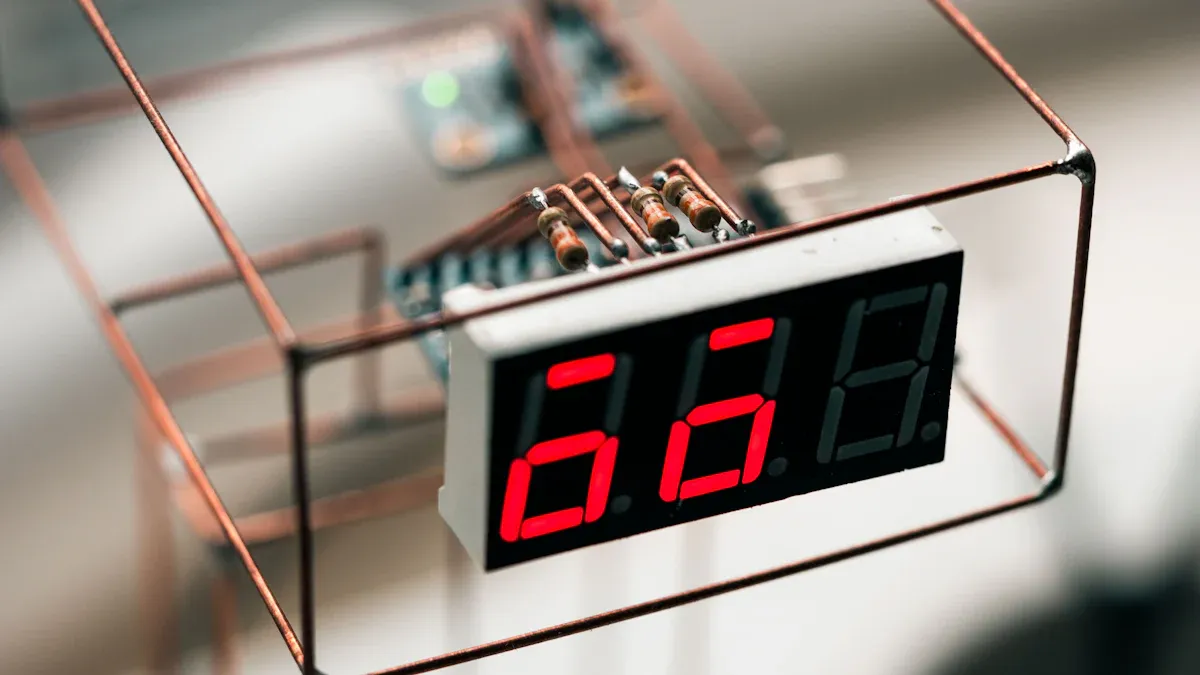
A 7-segment display helps you see numbers on many devices. You can find this display in digital watches and alarm clocks. It is also in control panels for appliances. Each display has seven segments. These segments make numbers from 0 to 9. When you look at a 7-segment display, each digit lights up in a simple way.
Tip: You often see a 7-segment display where you need to read numbers fast, like on a kitchen timer or a calculator.
Here are the main reasons to use a 7-segment display in electronics:
It shows numbers in a clear way.
It uses less energy than other displays.
It works well in battery-powered devices.
It makes numbers easy to read from far away.
How It Works
A 7-segment display works by turning on certain segments to make each digit. Each segment has a label from A to G. To show a number, the display lights up the right segments. For example, to show "8," all seven segments light up. To show "1," only two segments turn on.
The display can use a common anode or a common cathode setup. In a common anode display, all the anodes connect together. You light up a segment by grounding its cathode. In a common cathode display, all the cathodes connect together. You light up a segment by adding voltage to its anode. This setup lets you control each segment easily. It also helps save energy.
Configuration Type | Control Mechanism | Description |
|---|---|---|
Common Cathode | Apply HIGH (Logic 1) to the anode of the segment | Current flows from the anode to the common cathode, lighting up the segment. |
Common Anode | Apply LOW (Logic 0) to the cathode of the segment | Current flows from the common anode through the LED segment to ground, turning it on. |
You can use a 7-segment display to show some letters, but it is best for numbers. The display uses a simple electrical system. This system lets you turn segments on and off quickly. You can show different numbers in real time.
A 7-segment display is special because it uses very little power. This is true when you use it in devices that do not need a backlight. That makes it a smart choice for battery-powered gadgets.
Seven Segment Displays Construction
Segment Layout
When you look at a 7 segment LCD display, you see seven bars arranged in a special pattern. Each bar is called a segment. You can find these segments labeled from A to G. The layout forms a figure-eight shape. This design lets you show any number from 0 to 9 by lighting up the right segments.
Here is a table that shows how each segment sits on the display:
Segment | Description |
|---|---|
A | Top horizontal segment |
B | Upper right vertical segment |
C | Lower right vertical segment |
D | Bottom horizontal segment |
E | Lower left vertical segment |
F | Upper left vertical segment |
G | Middle horizontal segment |
DP | Decimal point segment |
You can turn on each segment to make different numbers. For example, if you want to show the number "2," you light up segments A, B, G, E, and D. The decimal point segment (DP) helps you show numbers with decimals, like 3.5.
Note: The combination of these segments lets you display all ten digits. Sometimes, you can also show simple letters or symbols.
Materials and Components
You find that 7 segment LCD displays use special materials to work well. The main body often uses acrylic. Acrylic is a clear plastic that lets light pass through easily. Makers etch the acrylic to form the seven segments. This etching helps each segment stand out when it lights up.
Inside the display, you see tiny LED components. These LEDs shine light into the acrylic segments. When you turn on a segment, the light travels through the acrylic and makes the segment glow. This setup gives you a bright and clear display.
Here is a table that lists the main materials:
Material | Description |
|---|---|
Acrylic | Transparent material etched to create the segments of the display |
LED components | Light up the acrylic, making each segment visible |
You get a display that is strong, light, and easy to read. The use of acrylic and LEDs also helps the display use less energy. This makes 7 segment LCD displays a smart choice for many electronic devices.
7-Segment Display Operation
Segment Control
You control seven segment displays by sending electricity to each segment. Each segment acts like a small light that turns on or off. When you want to show a number, you choose which segments to light up. You do this by applying voltage and current to the right pins.
Here is a table that shows the typical values for segment control:
Parameter | Value |
|---|---|
12mA to 15mA | |
Forward Voltage Drop | 2V to 2.2V (Red LED) |
Resistor Value | 200Ω to 220Ω |
You use resistors to control how much current flows through each segment. If you use a larger resistor, the segment glows dimmer, but it lasts longer. A smaller resistor makes the segment brighter, but it can wear out faster or overheat.
Using larger resistors gives you a dimmer display and longer segment life.
Smaller resistors make the display brighter but can cause faster wear.
You can turn each segment on or off very quickly. This lets you change the digits on the display in real time. Seven segment displays use a simple control method, so you can connect them to many types of circuits.
Displaying Digits and Letters
You can use seven segment displays to show all digits from 0 to 9. Each digit lights up a different set of segments. For example, to show the digit 1, you turn on only two segments. To show 8, you light up all seven segments. The display uses segments labeled a through g. By turning on the right segments, you create each number.
You can also show some letters with seven segment displays. Here are some letters you can display:
A
b
C
d
E
F
H
I
J
L
n
o
P
r
S
U
y
Z
Each segment in the display is made of liquid crystal material. When you apply electricity, the segment becomes dark and lets light through, so you see the shape of the digit or letter. You can use a method called multiplexing to control several digits at once. This makes it look like all digits are showing at the same time, even though you light them up one after another very quickly.
Note: Seven segment displays cannot show every letter. Letters like M, V, W, and X do not look clear because the display cannot make diagonal lines. Some letters only appear in uppercase or lowercase, not both. More complex displays, like fourteen-segment types, can show more letters and symbols.
Seven segment displays work best for showing numbers and a few simple letters. You find them in many devices because they are easy to control and read.
Types of 7 Segment LCD Displays
Common Anode
You see common anode seven segment displays in many digital devices. In this type, all anode pins join to one positive voltage. You light up a segment by making its cathode pin low. This means you send a ground signal to the segment you want on. Many microcontrollers work well with this setup because they can handle current going to ground.
Tip: With a common anode display, the control logic is flipped. You turn on segments with a LOW signal, not a HIGH signal.
Here is a table that shows the electrical details for common anode seven segment displays:
Characteristic | Description |
|---|---|
Anode Configuration | All anode connections joined to logic '1' |
Segment Illumination | Segments light up when cathode is LOW (logic '0') |
Voltage Supply | Common pin connected to positive voltage, often +5V |
Control Logic | Segments turn on with a LOW signal |
You can show numbers and some letters by lighting up segments A through G. Most common anode displays also have a decimal point for showing decimal numbers.
Common Cathode
Common cathode seven segment displays work in a different way. All cathode pins connect to ground. You turn on a segment by giving its anode pin a positive voltage. This setup works well with systems that use ground as a reference. You find common cathode displays in many battery-powered devices because they save power.
You turn on segments with a HIGH signal.
Current goes from the anode, through the segment, to ground.
This setup makes it easy to control each segment.
Differences
You need to know how common anode and common cathode seven segment displays are different. The way you connect and control each type changes how your device works.
Feature | Common Anode | Common Cathode |
|---|---|---|
Connection | All anodes connected to common positive voltage | All cathodes connected to common ground |
Control Logic | Segments activated by LOW signal | Segments activated by HIGH signal |
Powering LEDs | Negative voltage to cathodes | Positive voltage to anodes |
Current Direction | Flows from PCB to LED diode | Flows through LED diode to negative pole |
Supply Voltage | Unified voltage higher than 3.8V | Separate voltages for each LED |
Applications | Used in seven segment displays and RGB LEDs | Used in seven segment displays and RGB LEDs |
Note: Choosing between common anode and common cathode changes power use and control logic. Common cathode displays often use less power because you can give each LED its own voltage.
When you pick a seven segment display for your project, check your circuit’s logic and voltage needs. Both types let you show numbers and simple letters, but the wiring and control are not the same. You can use seven segment displays in clocks, calculators, and measuring tools. The right type helps your device work better and last longer.
Seven Segment Displays Applications
Everyday Devices
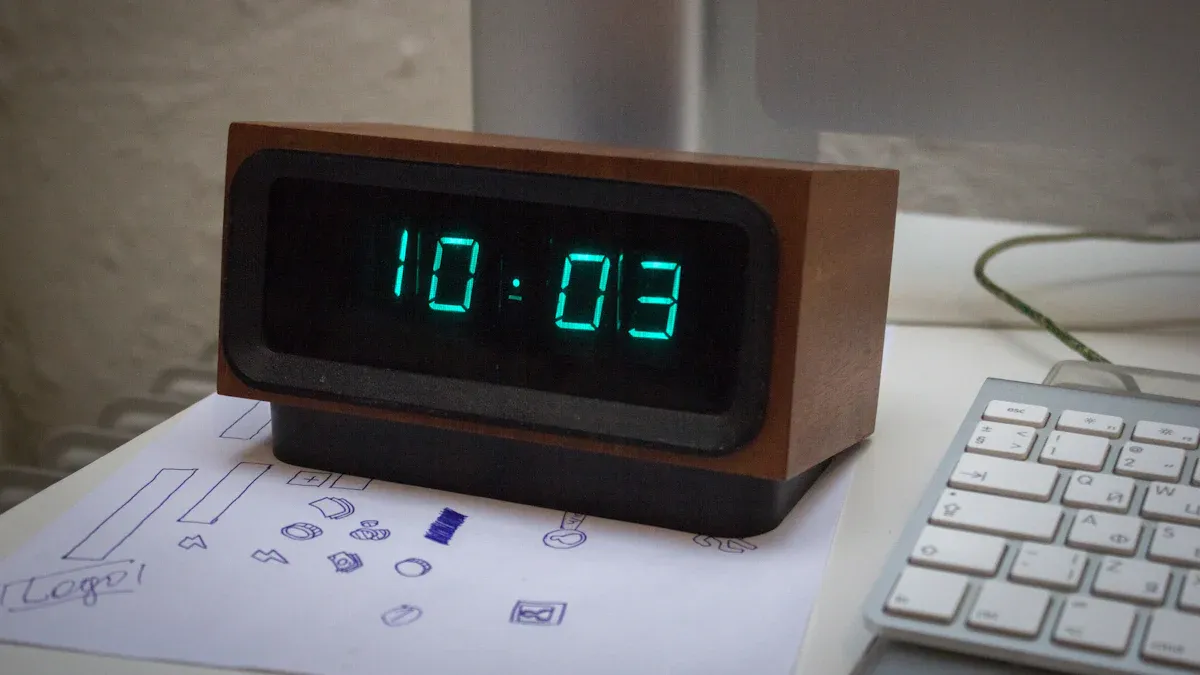
Seven segment displays are in many things you use daily. They help you see numbers fast and clear. Here is a table showing where you find them:
Device Type | Examples |
|---|---|
Home Appliances | Digital watches, alarm clocks, microwaves |
Fitness Equipment | Exercise treadmills |
Automotive | Vehicle counters, car control displays |
Measurement Devices | Voltage meters, energy meters, blood pressure monitors |
You also see seven segment displays in clocks, calculators, and wristwatches. They are in speedometers and radiofrequency indicators too. These displays make it easy to check time, measure speed, or read numbers.
Advantages
Seven segment displays have many good points. You can read numbers easily because they look clear. These displays use very little power. This helps your device last longer on battery. You save money because they cost less to make. You can see the display from many angles, so you do not need to stand in one spot.
Advantage | Description |
|---|---|
Simplicity and Clarity | You can recognize numbers and letters quickly. |
Low Power Consumption | The display uses little energy, so batteries last longer. |
Cost-Effectiveness | You pay less for devices with these displays. |
Wide Viewing Angle | You can see the display from different directions. |
Seven segment displays help your devices work longer without charging. You get clear numbers every time you look.
Limitations
Seven segment displays have some limits too. You cannot use them for complex images or many letters. The display only shows numbers and a few simple letters. You do not see colors on these displays. This makes them less useful for showing color-coded information. Seven segment displays cannot show graphics or pictures.
Limitation | Impact on Advanced Digital Devices |
|---|---|
Limited display capability | You see only numbers and a few letters. |
Lack of color representation | The display cannot show colors. |
Limited graphic capability | You cannot use the display for pictures or complex graphics. |
Note: Seven segment displays are best for showing numbers. You should pick another display if you need more features.
You now know that 7 segment LCD displays help you see numbers clearly in many devices. These displays use seven segments to show digits and some letters. They save energy and last a long time. When you choose a display, think about:
Size and resolution for easy reading
Power use and voltage for battery life
Viewing angle and contrast for clear numbers
Durability for daily use
You can trust these displays for clocks, meters, and more.
How a 7‑Segment LCD Works
A 7‑segment LCD is a passive device. Unlike LED versions that emit light, an LCD controls the reflection or transmission of ambient light (or backlight) through liquid crystals.
Basic Construction (for a reflective or transmissive LCD)
Layer | Function |
|---|---|
Backlight (optional) | In transmissive or transflective types, a light source behind the display. |
Rear polariser | Polarises light in a specific orientation. |
Common electrode | A transparent conductive layer (ITO) shared by all segments. |
Liquid crystal layer | Twists the polarisation of light when no voltage is applied; untwists when voltage is applied. |
Segment electrodes | Seven independent ITO patterns shaped as segments a through g. |
Front polariser | Oriented perpendicular to the rear polariser. |
Operation – How a Segment Becomes “On” or “Off”
No voltage across a segment’s electrode and the common electrode:
The liquid crystal twists polarised light by 90°.
Light passes through the rear polariser and is then blocked by the front polariser (or vice versa depending on display type).
The segment appears transparent or reflective (matches background).
Voltage applied:
The liquid crystal does not twist the polarised light.
Light passes through both polarisers (or is reflected back to the viewer).
The segment appears dark (foreground colour).
By applying voltage to specific segments (a through g), any digit from 0 to 9 can be formed.
Note on drive method: LCDs require AC voltage (alternating current) to prevent electrochemical degradation. DC voltage would destroy the liquid crystal material over time. Therefore, 7‑segment LCDs are driven with multiplexed AC waveforms at a frequency typically between 30–100 Hz.
Reflective vs. Transmissive vs. Transflective
Type | Light Source | Power Consumption | Visibility | Typical Use |
|---|---|---|---|---|
Reflective | Ambient light only | Extremely low | Excellent in sunlight, poor in dark | Battery‑powered devices (watches, calculators) |
Transmissive | Built‑in backlight | Low to moderate | Good in dark, poor in sunlight | Indoor devices with steady power |
Transflective | Ambient + backlight | Medium | Good in both | Car dashboards, outdoor instruments |
Most 7‑segment LCDs used in portable devices are reflective or transflective to save battery.
Key Differences: LCD vs. LED 7‑Segment Displays
Feature | 7‑Segment LCD | 7‑Segment LED |
|---|---|---|
Light emission | Passive – controls existing light | Active – each segment emits light |
Power consumption | Very low (µW to mW) | Higher (mW to W) |
Sunlight readability | Excellent (reflective types) | Poor without high brightness |
Darkness visibility | Poor (reflective) / good (transmissive) | Excellent (self‑emissive) |
Lifespan | 50,000+ hours | 50,000–100,000 hours |
Cost | Low to moderate | Low (for standard sizes) |
Typical voltage | 3‑5 V AC (drive circuit needed) | 1.8‑5 V DC |
Common Applications of 7‑Segment LCD Displays
Due to their low power consumption and excellent readability in ambient light, 7‑segment LCDs are widely used in:
1. Portable and Battery‑Powered Devices
Digital watches and clocks – Classic LCD watch displays, stopwatches.
Calculators – The iconic segmented numeric display.
Multimeters and test equipment – Handheld digital multimeters use large 7‑segment LCDs for easy reading.
Pedometers, blood pressure monitors, thermometers – Any device that needs to show numeric values clearly with minimal battery drain.
2. Industrial and Instrumentation Panels
Counters and timers – Production line counters, laboratory timers.
Weight scales – Digital kitchen scales, industrial floor scales.
Flow meters, pressure gauges – Many industrial sensors use 7‑segment LCDs for local readout.
Fuel dispensers – Older gas pumps often use 7‑segment LCDs (or LED).
3. Consumer Electronics
Microwave ovens, washing machines – Numeric displays for time, temperature, or program codes.
Car dashboards – Odometer, trip meter, fuel gauge (often transflective for sunlight readability).
Audio equipment – Radio frequency displays, volume level indicators.
4. Household Appliances
Room thermostats – Setpoint and current temperature.
Water heaters, air purifiers – Simple numeric status displays.
Driving a 7‑Segment LCD
To drive a 7‑segment LCD, you need a dedicated LCD driver (e.g., HT1621, PCF8576, or a microcontroller with built‑in LCD controller). The driver generates the necessary AC waveforms and multiplexes the segments if multiple digits are used.
Basic connection (single digit):
Common backplane (COM) – one or multiple (for multiplexed displays)
Segment lines (a–g) – connected to the driver outputs
Multiplexing for multiple digits:
To save pins, 7‑segment LCDs are often multiplexed – several digits share segment lines, and each digit has its own COM line. The driver rapidly cycles through the COM lines so that persistence of vision creates the illusion of all digits being lit continuously.
Summary
7‑segment LCDs work by controlling the twist of liquid crystals to block or pass polarised light, forming numeric digits.
They are passive, requiring ambient light or a backlight, and consume very little power – ideal for battery‑powered devices.
They are different from 7‑segment LED displays, which are active and brighter but consume more power.
Common applications include calulators, watches, digital clocks, multimeters, kitchen appliances, and automotive dashboards.
Driving them requires an AC waveform generated by a dedicated LCD driver or a microcontroller with LCD peripheral.
In short: A 7‑segment LCD is the low‑power, sunlight‑friendly cousin of the bright LED digit display – perfect for any device that needs to show numbers clearly without draining batteries.
FAQ
What does a 7 segment LCD display do?
You use a 7 segment LCD display to show numbers. Each segment lights up to form digits. You see these displays in clocks, calculators, and meters. They help you read numbers quickly and clearly.
How do you control the segments on a 7 segment LCD display?
You control each segment by sending electricity to it. When you turn on certain segments, you create different numbers or letters. Microcontrollers or simple circuits can do this job for you.
Where do you find 7 segment LCD displays in daily life?
You find these displays in many devices.
Digital clocks
Calculators
Kitchen timers
Measuring tools
They help you see numbers easily in many places.
Can a 7 segment LCD display show letters?
You can show some simple letters, like A, b, C, d, E, and F. The display cannot show every letter because it only has seven straight segments. Complex letters do not look clear.
Why do people use 7 segment LCD displays instead of other types?
You get clear numbers with low power use. These displays cost less and last longer. You can read them from many angles. They work well in battery-powered devices.
See Also
Exploring LCD Display Screens: Functionality and Features Explained
DIY Electronics: A Beginner's Guide to Transparent OLED Displays
The Pros and Cons of LCD Display Screens Explained
