5 digital signage example ideas for 2026 success
Shenzhen TopAdkiosk Display Technology Co., Ltd.
Add.: 2F, Bldg 10, Changfeng Industrial Park, Dongkeng, Fenghuang, Guangming, Shenzhen, China 518132
Mobile/WHATSAPP: 86-138 25769658
Email: marketing@topadkiosk.com topadkiosk@gmail.com
Skype: pghenry1
Wechat: adkioskhenry
English Web.: https://www.topkioskdisplay.com/
http://www.ad-kiosk.com/
https://www.toplcddisplay.com/
http://www.multitouchdigitalsignage.com/
https://www.youtube.com/channel/UCYVYNJHxLVEcQD8fuUxXNTA/videos?view_as=subscriber
https://www.facebook.com/TOPADKIOSKSHENZHEN/?ref=bookmarks
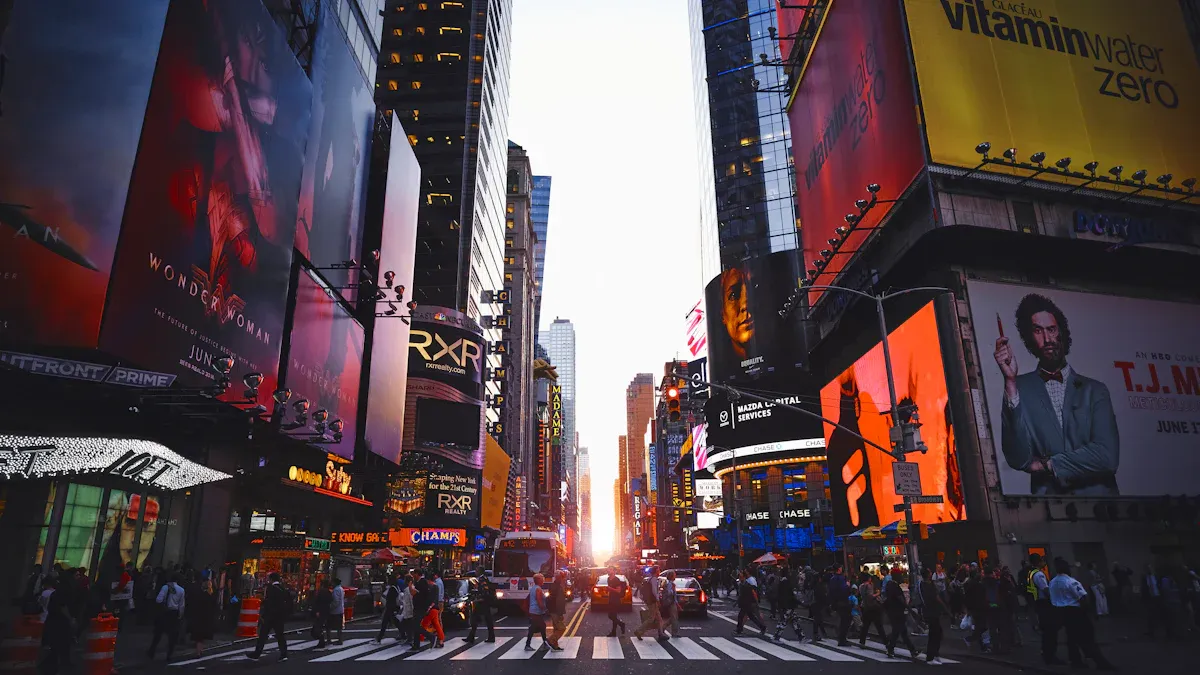
You can be successful in 2026 by using five top digital signage examples. These are retail, corporate, healthcare, smart city, and campus engagement. The table below explains why these are important. AI, immersive technology, and real-time data are the main reasons.
Trend Description | Details |
|---|---|
Makes content personal and runs campaigns by itself. | |
Immersive Technologies | Gives fun, touch-free experiences for everyone. |
Uses data to send messages that matter most. |
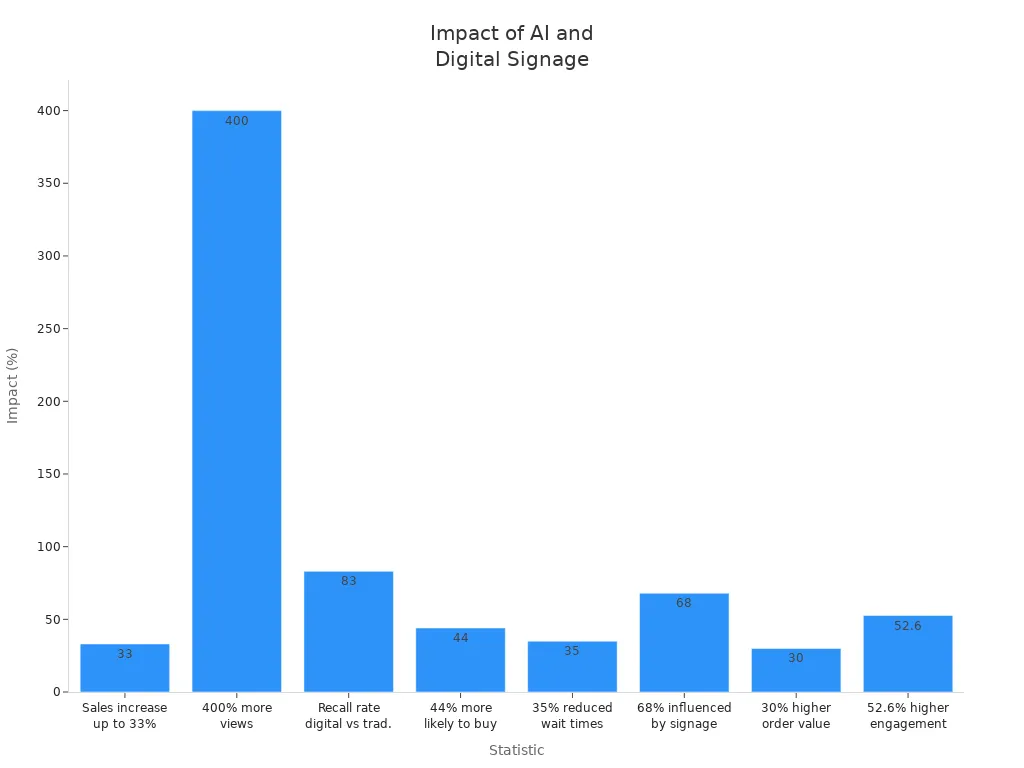
You can use these ideas to get people interested, help them remember, and sell more.
Key Takeaways
Use AI in stores to make promotions fit each person. This helps customers have a better time and buy more things.
Put interactive displays in stores to get customers involved. These displays make shopping safer and more fun.
Set up real-time dashboards at work to keep teams updated. Dashboards help everyone know the company goals.
Use AI navigation systems in hospitals to make things easier for patients. This helps patients feel happier with their visit.
Put smart city signs up to show transit info and alerts right away. These signs help keep people safe and connected.
Retail digital signage example
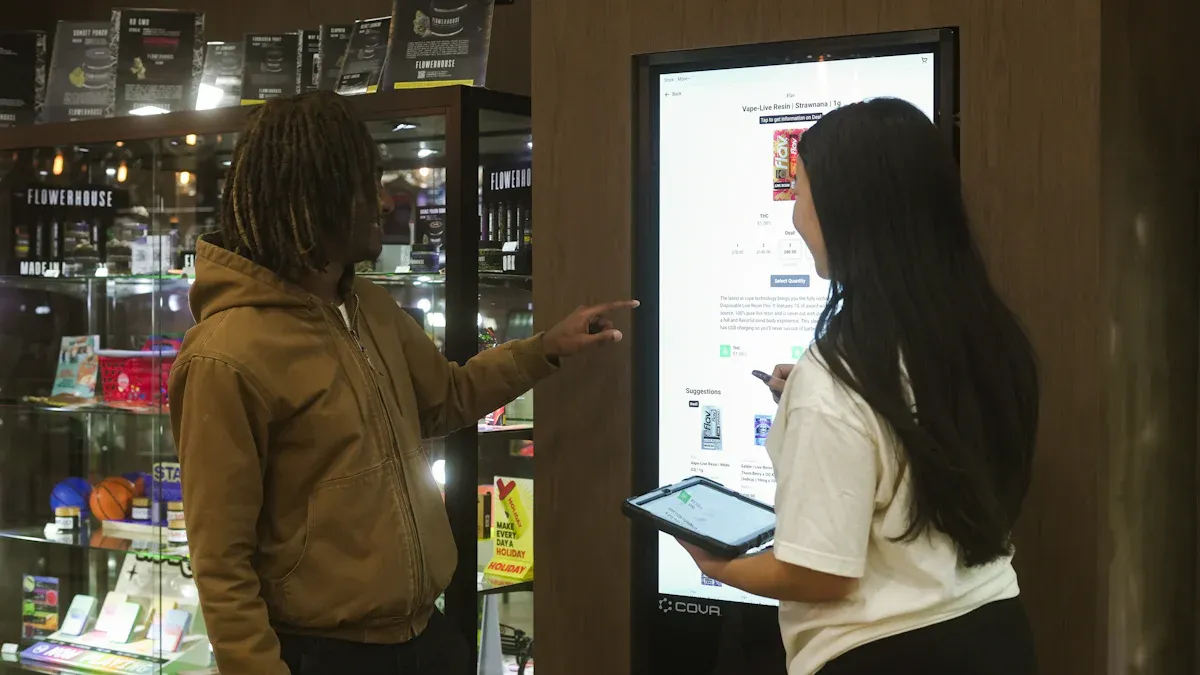
AI-powered promotions
AI-powered promotions can make your store smarter and more fun. AI and real-time analytics help you show the best message to each person. You can use this digital signage example to do many things:
Show dynamic QR codes on screens. Shoppers can get online deals while in the store.
Build a strong brand by linking digital and in-store shopping.
Guess what customers want by looking at old shopping data. Change promotions right away.
Track how well your content works. Change your marketing plan fast if you need to.
Learn from how people use your displays. Make your next campaigns even better.
This way, shopping feels special and exciting. You can sell more and make customers want to come back.
Interactive product displays
Interactive product displays help customers get more involved. You can use touchless and gesture-based technology. Shoppers can look at products without touching the screen. This makes shopping safer and more fun. Many stores see good results:
76% of restaurants with touchless kiosks have shorter wait times.
67% see customers spend more money per order.
69% get better order accuracy.
At Shake Shack, kiosk orders are almost 20% higher than other ways.
This digital signage example lets shoppers control their visit. It helps them remember their time in your store.
Tip: Add gesture controls to your displays. Shoppers can wave or point to learn about products.
You can also use live, changing content instead of just repeating loops. The table below shows the good things about this:
Benefit | Description |
|---|---|
Operational Agility | Change content fast from anywhere to fit what people want. |
Engagement | Use videos and animations to get more attention than still signs. |
Personalization | Let customers pick product options right on the screen. |
Sales Increase | Suggest other products to help sell more. |
Proof of ROI | See what works by checking display data with sales numbers. |
With these tools, your store can mix technology and shopping. This digital signage example helps you stand out and do well in 2026.
Corporate communication displays
Real-time dashboards
Real-time dashboards help your team know what is happening. Cloud-first platforms let you share news and meeting times everywhere in the office. You can show KPIs in places where everyone walks by. This lets all workers see how the company is doing. It helps everyone work toward the same goals.
Here is how real-time dashboards help your workplace:
Feature | Benefit |
|---|---|
Announcements and KPIs | Everyone knows what is important and works together. |
Live performance metrics | Show progress and help people work as a team. |
Unified dashboards | Put all the data in one place for fast choices. |
Real-time clarity | Find trends early and make changes quickly. |
This digital signage example makes your workplace open and clear. Teams can see what is most important and act fast.
Dynamic employee engagement
Dynamic content helps employees feel more involved. Cloud-first digital signage lets you change messages for teams in the office or at home. You can share news, celebrate wins, and send reminders to everyone. It does not matter where they work. This helps everyone feel like they belong.
Hybrid work gives your company new problems and new chances.
Clear messages help keep everyone working together.
Good digital signage helps people balance work and life and feel included.
Leaders use these tools to help teams do their best.
Using digital signage for corporate communication makes sure everyone gets the same news. This keeps your team excited and helps your company do well in 2026.
Healthcare wayfinding signage
AI check-in and navigation
AI check-in and navigation make hospital visits easier. Patients can find their way without feeling worried. AI systems greet people when they walk in. They ask for a name or appointment code. The screen shows a map with the best path to the right place. Some systems use voice commands or gestures, so no one has to touch the screen.
AI can remember what patients like. If someone comes often, the system can show the fastest way or remind them about past visits. This makes the visit feel special and friendly. It saves time for both patients and workers. People feel less lost and more sure as they walk through big buildings.
Tip: Use bright colors and clear icons on screens. This helps everyone, even kids and older people, find their way fast.
Emergency alerts and updates
Hospitals need to share urgent news quickly. Digital signage can stop normal messages to show emergency alerts right away. If there is a fire, security problem, or health warning, everyone sees the update at once. This keeps patients, visitors, and staff safe.
Digital signage lets you send safety steps or tips everywhere in the building. Speakers or paper signs may not reach all people, but screens in halls, waiting rooms, and elevators make sure no one misses news. This helps the hospital work better and keeps people calm during emergencies.
A digital signage example in healthcare can also show health news, like flu shot reminders or new visitor rules. You help everyone stay ready for changes.
Benefit | How It Helps You |
|---|---|
Fast communication | Everyone gets urgent news right away |
Better safety | People know what to do in emergencies |
Improved experience | Patients feel cared for and informed |
With these tools, healthcare becomes safer and friendlier for all.
Smart city digital signage example
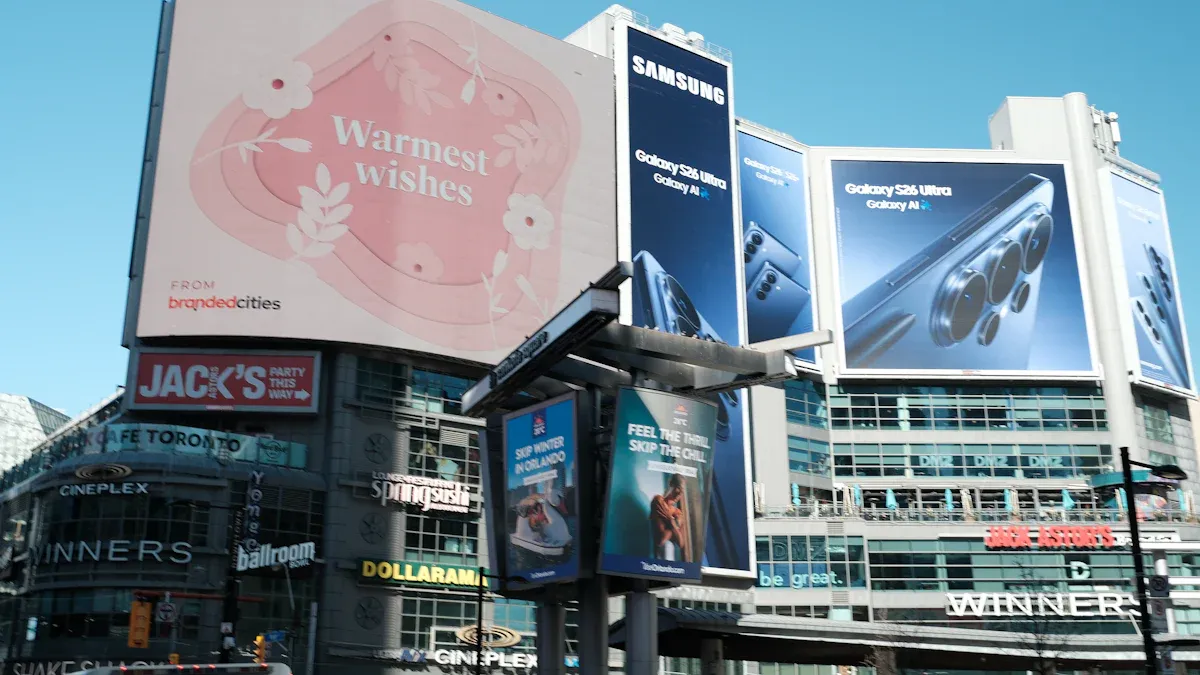
Real-time transit info
Digital signs can make cities smarter. They show live bus and train times. They also show traffic and air quality updates. This helps people travel with less worry. At bus stops, you see when the next bus will come. You also see if the air is clean or dirty. This is helpful for people without smartphones. Everyone can use public transportation more easily.
Here is how real-time data on digital signs helps your city:
Evidence Type | Description |
|---|---|
Real-time Information | Digital signs give updates about traffic and buses. They also show emergency alerts. This helps people move around and stay safe. |
Accessibility | Bus stop screens show transit news and local updates. People without phones can still get important information. |
Data Delivery | Cities collect lots of data. But sometimes, people do not get this information. Digital signs help share it with everyone. |
Cities can also use programmatic DOOH ads. These ads change based on the time or who is nearby. Better digital signs help cities earn more money. This money can pay for city services. Real-time data makes ads fit what people need. Automated buying makes ad campaigns faster and smarter.
Community and safety alerts
Smart city signs do more than show bus times. They also keep people safe and up to date. You see emergency alerts and weather warnings on these screens. Local news is easy to find, too. Some cities use 3D and holographic displays. These displays use pictures and sound together. This helps you understand messages quickly.
Holographic models show city changes in a clear way.
3D images are easier to understand than flat ones.
People of all ages and backgrounds can use these displays.
A digital sign in a smart city helps connect leaders and people. You get the news you need, right when you need it. This helps you feel part of your community.
Campus engagement signage
Interactive maps and schedules
Interactive maps and schedules help students feel sure on campus. Digital maps give step-by-step directions, so students do not get lost. These maps show live routes and let you pick wheelchair-friendly paths. You can find classrooms, dining halls, and event spaces easily. Touchscreen displays make searching simple. Animated lines show you where to go next. ADA-compliant designs mean everyone can use the maps.
At the start of the year, students often need help. Digital maps help you find your way fast. Faculty and staff answer fewer questions. Visitors like exploring by themselves. Administrators see the latest building information. Facilities and IT teams control everything from one spot.
Tip: Link your campus calendar to the map. Students can see event places and get directions right away.
Student messaging and alerts
Digital signage helps keep you safe and up to date. Emergency messages show up on all screens at once. If there is a lockdown or storm, you see alerts right away. The system can switch from normal to emergency messages fast. You get both pictures and sound for clear help. Some screens give special instructions for your location, so you know what to do.
Benefit | Description |
|---|---|
Instant Alerts | You get emergency news right away, everywhere on campus. |
Automatic Content Override | Screens change to show urgent messages without waiting. |
Integration with Security Systems | Alerts work with campus safety systems for fast action. |
Visual and Audio Support | You see and hear instructions for better understanding. |
Location-Specific Instructions | Directions match your building or area for safer evacuations. |
Cloud-based content management makes updates quick and simple. You can change screens from anywhere. The system sends live information to every display. This keeps your campus safe and connected, no matter what happens.
You have learned how digital signage can help you win in 2026. These tools give quick messages where people travel, wait, or shop. AI and interactive features make screens smarter and more friendly. Cloud-first platforms help you keep content safe and easy to change.
Benefit | Impact |
|---|---|
Makes people more interested and happy | |
Real-time Updates | Helps everyone stay safe and know things |
Interactivity | Makes things easier and more fun |
Try these trends to talk better, inspire your team, and help your business grow.
30+ Creative Digital Signage Content Examples for Businesses
Retail & Stores
Dynamic new product showcase
A 15‑second video showing different angles of a new product, with upbeat background music and concise selling points.Countdown for limited‑time discounts
Display “Members’ day ends in 03:12:45” on screen to create urgency and encourage immediate purchases.Cross‑sell / product bundles
“Bought sneakers? Add these socks and a water bottle to save 10%” – show images of the bundle.Customer review wall
Scroll authentic 5‑star reviews with customer avatars (with permission) to build trust.In‑store navigation map
Interactive or static floor map with a “You are here” marker, pointing to restrooms, checkout, fitting rooms.Real‑time stock alert
“Only 3 left! Don’t miss out” shown alongside product video – uses scarcity psychology.Digital menu / price tags
Dynamic display of prices, calories, spiciness level, etc. Can switch by daypart (breakfast/lunch/dinner).Brand story video
A 2‑minute loop about brand origins, craftsmanship, or social impact – plays near checkout or waiting areas.Interactive voting / giveaway
QR code on screen: “Vote for the best product of the day” – winners get a discount coupon.Virtual try‑on guidance
“Scan to try makeup / glasses virtually on your phone” – increases engagement.
Restaurants & Cafés
Kitchen live feed
A sanitised view into the kitchen showing chefs preparing signature dishes – builds appetite and transparency.Calorie & nutritional info
Icon‑based display of calories, protein, allergens next to each menu item – helps health‑conscious customers.Seasonal special countdown
“Pumpkin spice latte available for only 18 more days” with warm autumn visuals.Customer photo wall
Pull geotagged social media posts (after approval) and scroll them with attribution (@username).Entertainment during wait
On‑screen mini‑game (e.g., tap to catch falling items) or fun trivia to reduce perceived wait time.Meal combo animation
Burger + fries + soda flying into a basket, then showing “Combo $9.9 vs. a la carte $14.5”.Chef’s recommendation video
Chef appears for 15 seconds to introduce the daily special – adds a personal touch.Sanitisation log
Display “This area was last cleaned at 14:30” at entrance or near sink – builds hygiene trust.Birthday offer
Screen shows: “Birthday this month? Show your ID for a free dessert” and how to claim.Takeaway pickup instructions
Animated direction: “Takeaway orders proceed to the right window; your order number will appear here.”
Healthcare & Wellness
Appointment reminder & queue status
Screen shows current calling number, waiting list, and doctor profile – reduces noisy calls.Health education animation
30‑second animation on proper handwashing, flu prevention, or vaccination steps.Pharmacy prescription status
“Your prescription is being prepared” → “Ready for pickup at window 3” – reduces crowding.Department wayfinding map
Interactive touch map showing the best route from current location to, e.g., the ECG department.Doctor profiles & schedules
Scroll through doctors’ photos, specialities, languages, and weekly schedules.Patient education video
“Pre‑operative instructions” or “Post‑op recovery guide” looped in waiting areas.Satisfaction survey QR code
“Scan to rate your experience – win a health gift pack.”Relaxation content
Nature scenery, soft instrumental music, or breathing exercise animation to reduce anxiety.Mother & child area indicator
Dynamic icons guiding to nursing rooms and children’s play area, showing current availability.Public service announcements
Organ donation campaigns, blood drives, or chronic disease screening weeks.
Corporate & Offices
Real‑time KPI dashboard
Daily sales, customer satisfaction, ticket completion rates – motivates teams.Employee birthday / work anniversary
Pull from HR system: “Happy 5th anniversary, John!” – boosts sense of belonging.Meeting room status
Outside each meeting room: current meeting, time left, next booking – prevents conflicts.Internal news flash
Headlines: new project win, team building photos, policy updates.Employee of the month
Photo + one‑line citation scrolled in lobby or break room.Safety & training tips
“This week’s safety focus: how to use a fire extinguisher” with a short animation.Canteen menu & occupancy
Today’s lunch menu plus “Canteen busy level: ★★☆☆☆”.Visitor welcome screen
Lobby display: “Welcome VIP guest from ABC Corp, Mr. Zhang” – professional touch.Data centre monitoring
For IT: server status, network traffic, alerts – visualised.Shuttle bus tracking
Real‑time location and estimated arrival at each stop – reduces waiting.
Education & Campuses
Class schedule & room changes
Scroll daily courses, substitute teacher notices, available empty classrooms.Exam countdown
“5 days until final exams” – encourages study.Student art gallery
Rotating showcase of drawings, coding projects, award‑winning photos – builds pride.Event promotion
Posters for open day, club recruitment, sports day – with date, time, location.Canteen menu & nutrition
Daily dishes, prices, allergens, calories.Library occupancy
Real‑time free seats per floor – helps students decide.School bus GPS
Real‑time bus location and estimated arrival at each stop.Word of the day / daily quiz
“Today’s SAT word: ephemeral” with definition and example sentence.Safety notice
“Fire drill at 3 PM today, follow instructions” plus evacuation map.Alumni messages
Scroll video or text greetings from past graduates to inspire current students.
Transport & Public Spaces
Arrival information
Bus/train platform: each route’s estimated arrival time (seconds accurate).First/last train reminder
Evening display: “Last train at 23:00 – allow time to enter station.”Delay & diversion alert
Red warning: “XX route temporarily cancelled due to construction” with alternative options.Weather & air quality
Real‑time temperature, humidity, PM2.5 – helps travellers prepare.Surrounding map
Interactive touch screen to search for nearby shops, hospitals, toilets – shows walking route.Emergency evacuation guidance
Automatically switches to evacuation routes and assembly points during fire, earthquake.Lost & found
Scroll recent lost items with photos and collection point location.Health precaution
Mask‑wearing, social distance animated icons.City promotional video
Tourist attractions, cultural events – enhances city image.Ad rotation
Mix of commercial ads and public service announcements (e.g., 70:30) to sustain revenue.
Sports & Entertainment
Live scores
Show scores from other matches or league standings in concourse areas.Slow‑motion replays
Split‑screen: one side live action, the other side slow‑mo replay of key moment.Entry/exit guidance
Purple arrow animation guiding to nearest exit or restroom.Merchandise promotion
“Buy the team scarf at half‑time – 10% off” with product image and QR code.Weather forecast
For outdoor events: rain probability and UV index for next 3 hours.
Creative & Interactive
QR code check‑in wall
Attendees scan a code, and their avatar flies onto the big screen forming a brand logo or event theme.Social media feed wall
Pull posts from a specific hashtag (#eventname), after approval scroll live on LED screen.AI art generator (event activation)
Visitors use a touchscreen to pick keywords; AI generates an abstract painting on the spot.Fun selfie mirror
Screen acts as a mirror, overlays branded props (hats, glasses) – take photo, scan to get it.Voice‑controlled info kiosk
“Where is the nearest coffee shop?” – screen shows route and a coupon.
These examples range from simple promotions to immersive interactive experiences. Choose 1–2 that fit your budget, screen location, and audience, then test engagement and conversion. I hope these ideas spark your creativity!
FAQ
What is digital signage?
Digital signage means using screens to share news or ads. You can control what shows up from a computer or the cloud. It is easy to change messages fast and reach lots of people.
How does AI improve digital signage?
AI helps you pick the best message for each person. It looks at data and changes what is on the screen right away. AI makes ads and alerts more special and helpful.
Can digital signage work for small businesses?
Yes! Small stores, offices, and restaurants can use digital signage. Cloud tools help you manage what is on the screens. You do not need a lot of money to begin.
Is digital signage safe for sharing emergency alerts?
Digital signage can send out alerts very quickly. You can show safety news on all screens at the same time. This helps keep everyone safe if there is an emergency.
What are some creative digital signage ideas for businesses?
Show customer reviews, live social media, or countdown clocks. You can also use fun quizzes or share local news to get people interested.
See Also
Popular Digital Signage Solutions Captivating Users In 2026
Key Factors That Make Digital Signage Essential For Success In 2026
Exploring Current Digital Signage Trends Influencing 2026
Best Video Wall Digital Signage Options To Consider In 2026
Ten Innovative Digital Menu Board Designs To Explore In 2026
